Bookings on the lock screen
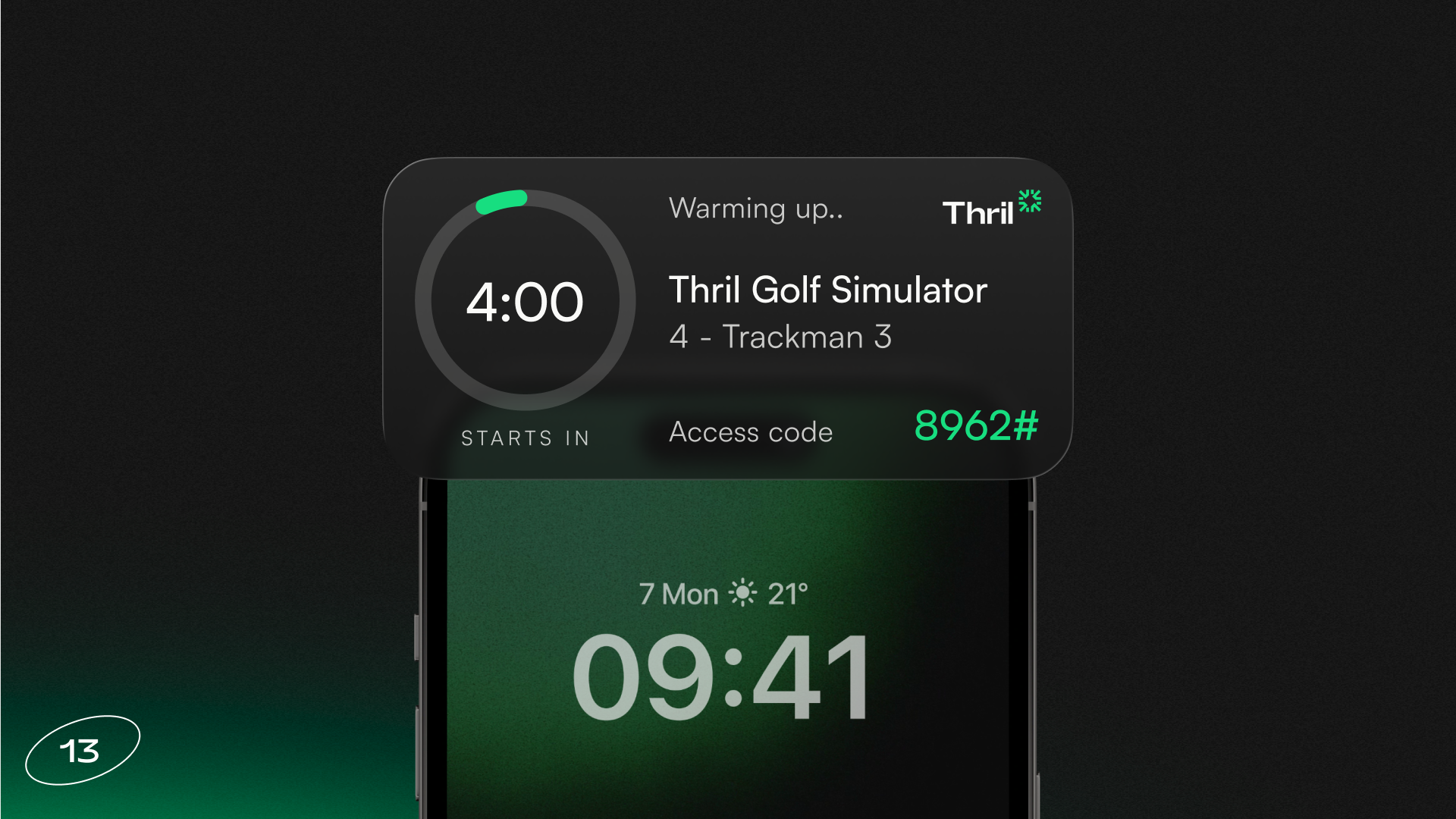
Bookings now appear on the iPhone lock screen and in the Dynamic Island as a Live Activity card. The widget appears on the screen an hour before the booking starts, showing the venue name, court or resource, time until the booking begins and the door code, if one is included with the booking.
What’s new?
The most important booking details can now be seen without even unlocking your phone.
Bookings appear on the iPhone lock screen and in the Dynamic Island as a Live Activity card that shows up an hour before the booking starts. It’s now easy for the booker to see at a glance the venue name, court or resource, time until the booking begins and the door code.
When the booking starts, the widget switches to counting down the remaining time. A green ring around the timer turns yellow when half the time is left, orange at a quarter, and red in the final tenth. If the booking is cancelled, the widget disappears straight away.
The widget updates even when the app is closed, and tapping the notification opens the booking in the app!
Subscribe to our newsletter
Get a summary of what we've shipped, behind the scenes updates, and product tutorials.